mqtt 适配微信小程序
开发物联网小程序,mqtt 必不可少,使用https://github.com/mqttjs/MQTT.js库
每个新mqtt包的迭代一定是解决了之前包的一些问题,故选择使用最新版本5.13.1mqtt - npm
uniapp 兼容微信小程序踩坑一
简单封装完 mqtt 之后运行至微信小程序报错 Cannot read property 'language' of undefined,于是开始各种翻阅文档,有些文档指向微信小程序缺少一些环境,适配的方式也🖐🌸8️⃣🚪,有的解决方案是引入 mqtt/dist/mqtt.min.js,但最终还是有各种环境,对象缺少问题,注释部分是踩的坑(本人使用 uniapp + vue3 + vite + typescript)配置环境大差不差这步可以跳过
import { defineConfig } from "vite";
import uni from "@dcloudio/vite-plugin-uni";

import UniHelperComponents from '@uni-helper/vite-plugin-uni-components'
import { WotResolver } from '@uni-helper/vite-plugin-uni-components/resolvers'

import { resolve } from 'path'

//import { polyfillNode } from 'esbuild-plugin-polyfill-node'
// import { NodeGlobalsPolyfillPlugin } from '@esbuild-plugins/node-globals-polyfill'

// import { NodeGlobalsPolyfillPlugin } from '@esbuild-plugins/node-globals-polyfill'
// import { NodeModulesPolyfillPlugin } from '@esbuild-plugins/node-modules-polyfill'

// import inject from '@rollup/plugin-inject'

// https://vitejs.dev/config/
export default defineConfig({
    plugins: [
        UniHelperComponents({
            resolvers: [WotResolver()],
        }),
        uni(),

    ],
    //路径配置
    resolve: {
        alias: [
            {
                find: '@',
                replacement: resolve(__dirname, 'src'), //配置@ 路径
            },
            // {
            //  find: 'mqtt',
            //  replacement: 'mqtt/dist/mqtt.min.js',
            // },

        ]
    },
    // optimizeDeps: {
    //  esbuildOptions: {
    //      plugins: [
    //          polyfillNode({
    //              globals: {
    //                  navigator: true,
    //                  buffer: true,
    //                  process: true
    //              },
    //              polyfills: {
    //                  os: true,
    //                  path: true,
    //                  crypto: true

    //              }
    //          })
    //      ]
    //  }
    // }
    // optimizeDeps: {
    //  esbuildOptions: {
    //      define: {
    //          global: 'globalThis',
    //          'globalThis.navigator': JSON.stringify({
    //                language: 'zh-CN',
    //                userAgent: 'MiniProgram'
    //              }),
    //          AbortController: 'window.AbortController'
    //      },
    //      plugins: [
    //          NodeGlobalsPolyfillPlugin({
    //              process: true,
    //              buffer: true,
    //          }),
    //          //NodeModulesPolyfillPlugin(),
    //      ]
    //  }
    // },
    //build: {
        // rollupOptions: {
        //  plugins: [
        //      inject({
        //          Buffer: ['buffer', 'Buffer'],
        //      })
        //  ]
        // }
    //},
    // define: {
    //  'process.env.NODE_ENV': JSON.stringify(process.env.NODE_ENV || 'development'),
    //  'navigator': JSON.stringify({
    //      language: 'zh-CN',
    //      userAgent: 'uni-app'
    //  })
    // }

});各种适配解决不了之后同事(龙哥)给了我思路!,于是去查阅https://github.com/mqttjs/MQTT.js官网,发现了关键代码
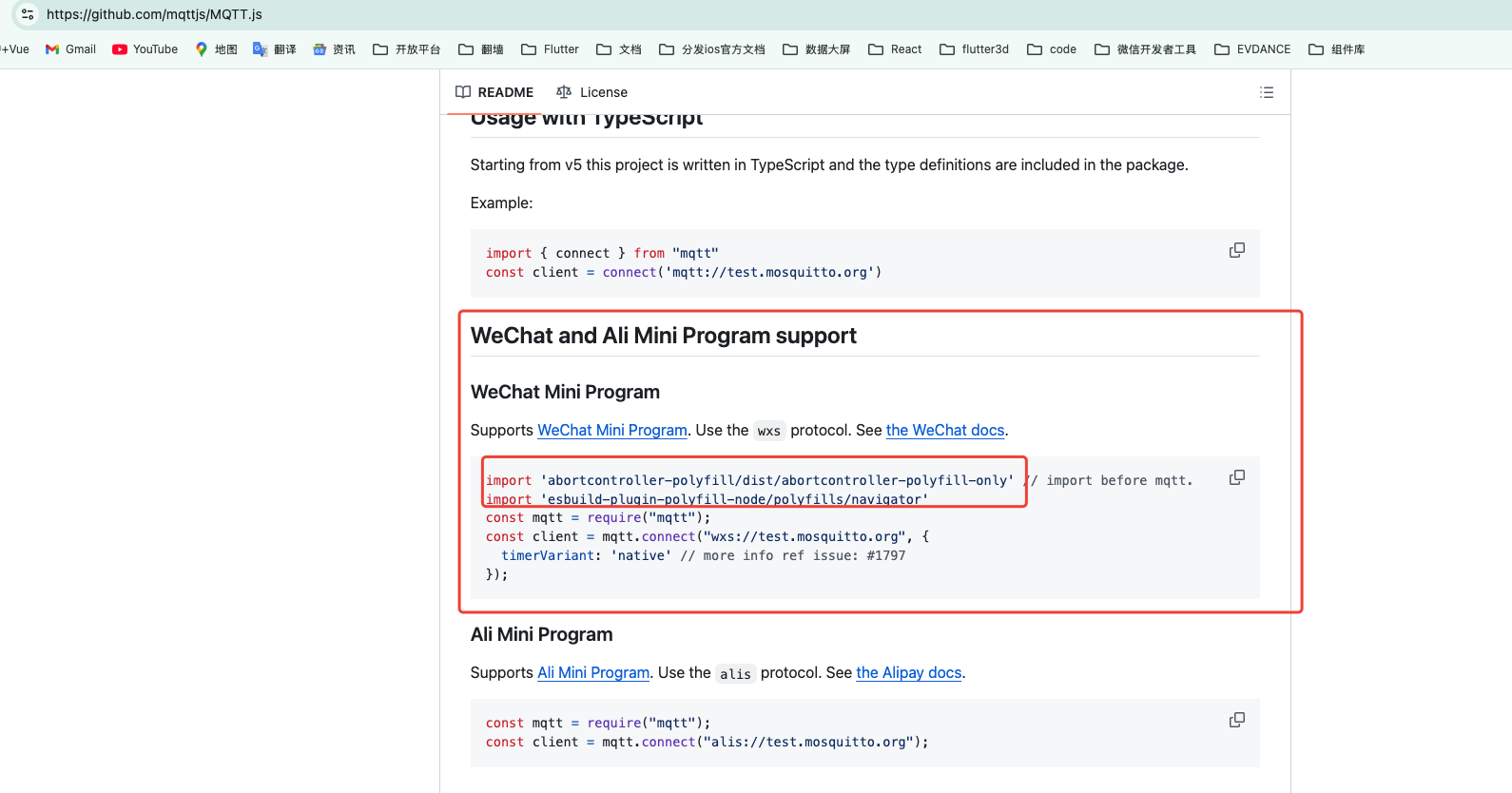
import 'abortcontroller-polyfill/dist/abortcontroller-polyfill-only'确实解决了一个abortcontroller缺失报错的问题,2026 年 5 月 9 日又遇到这个问题发现导入需要放到第一行之前我没有讲清楚!!!🤲
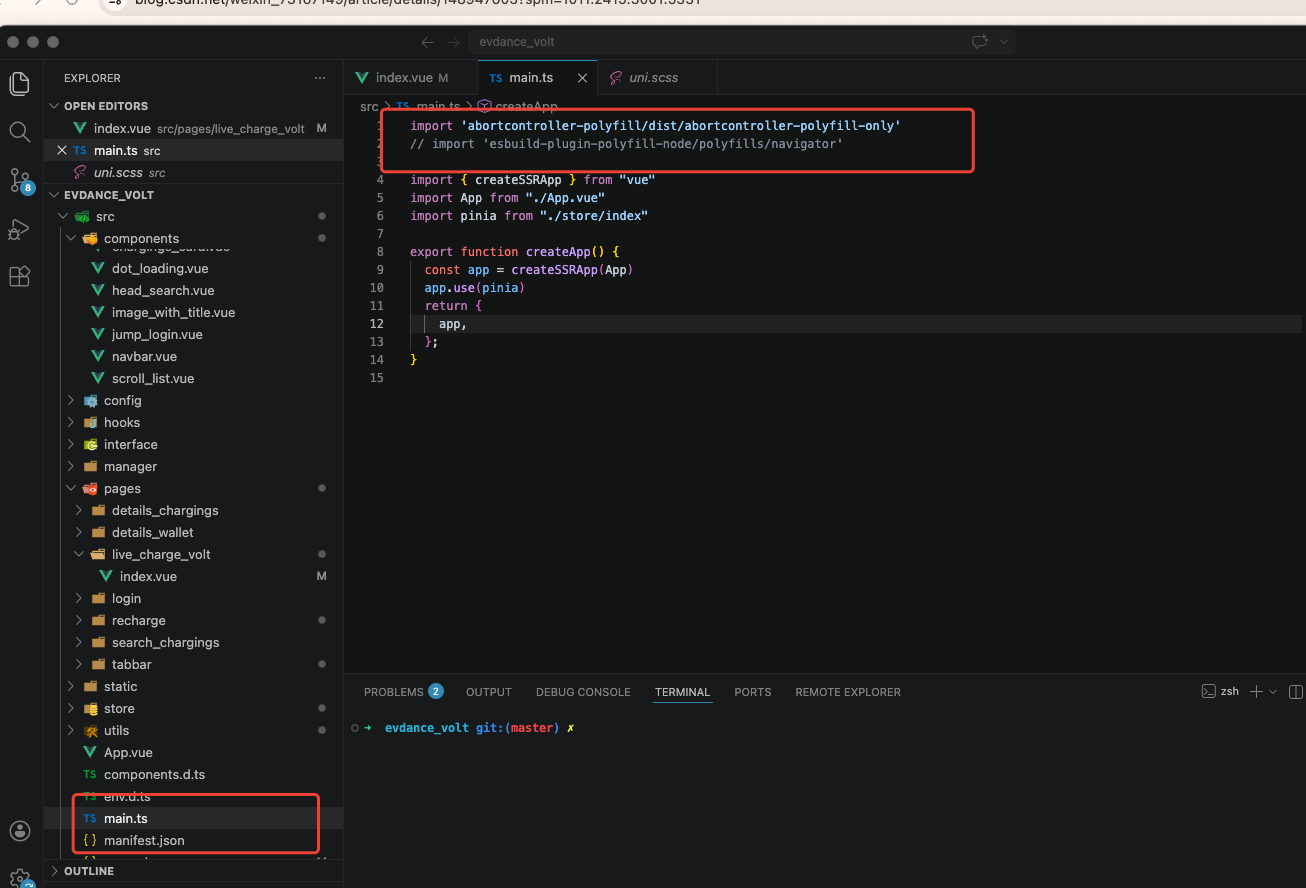
但第二个插件包import 'esbuild-plugin-polyfill-node/polyfills/navigator'也许是停止维护的原因,引入后还是报错,但是这个包的路径navigator给了我思路,这个不就是浏览器提供的一个对象吗,翻看sbuild-plugin-polyfill-node的源码发现果然也有language属性
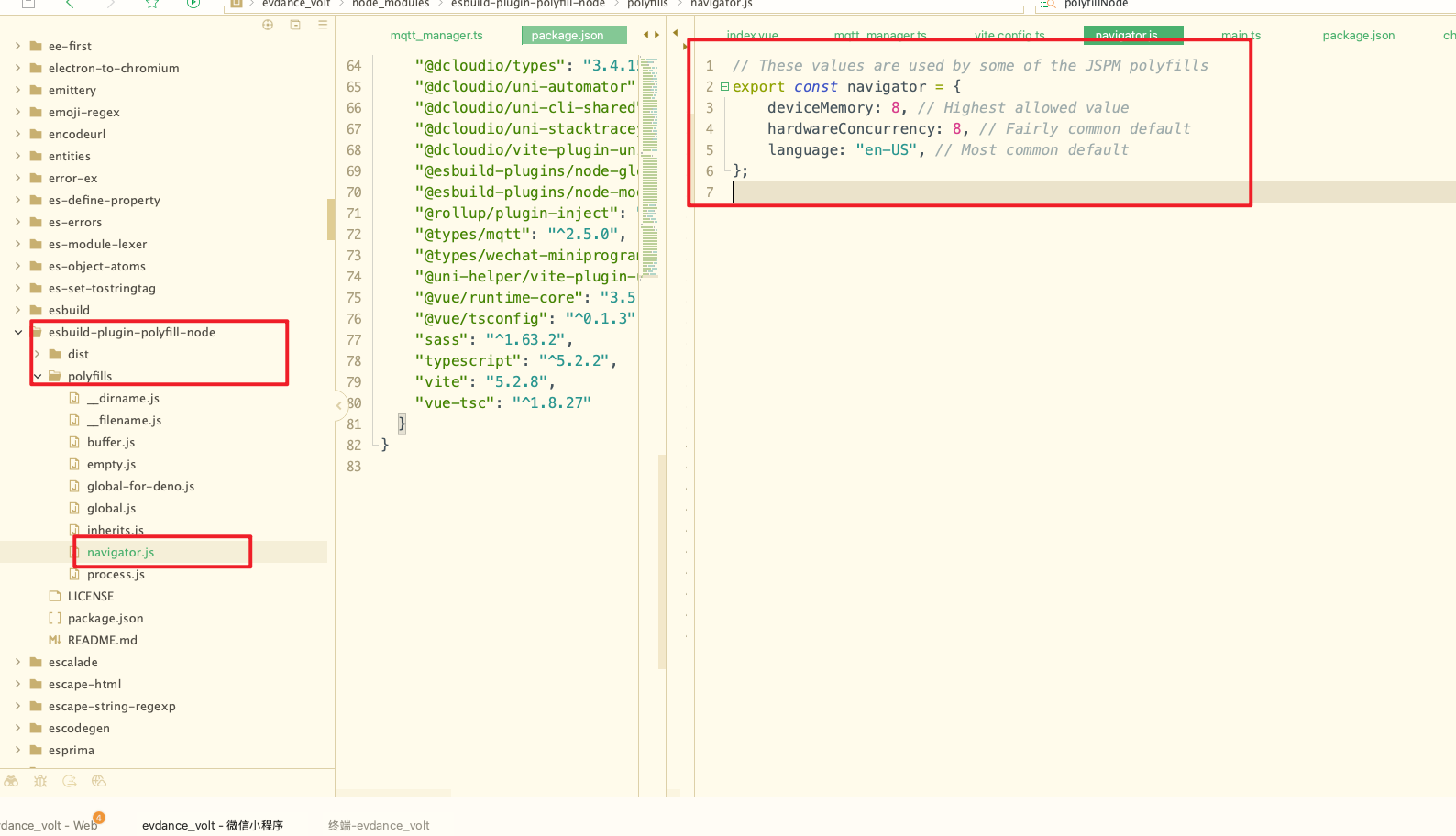
既然引入不生效,我就手动添加到源码
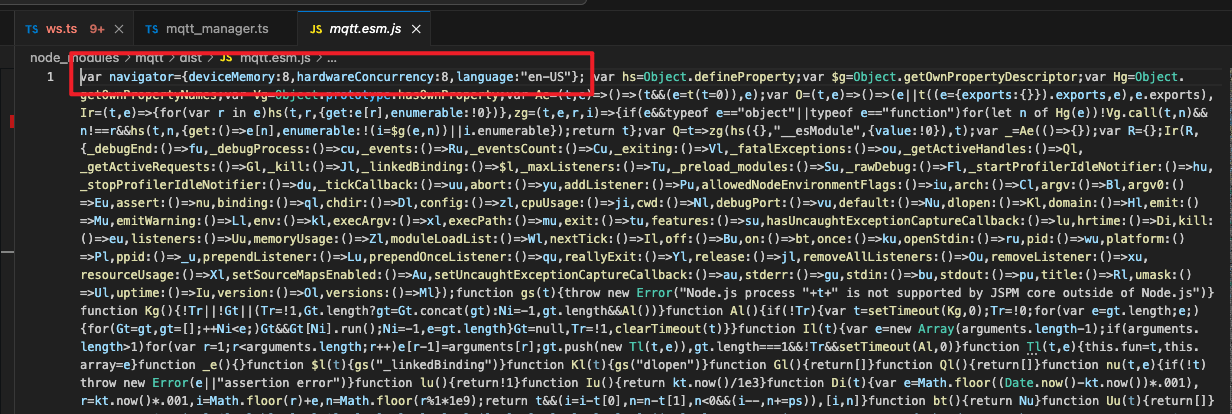
至此 MQTT 环境问题的报错就解决了
uniapp 兼容微信小程序踩坑二
重新编译运行至微信小程序还是报错 WebSocket is not a constructor,有了上次的经验再次翻阅源码发现关键代码
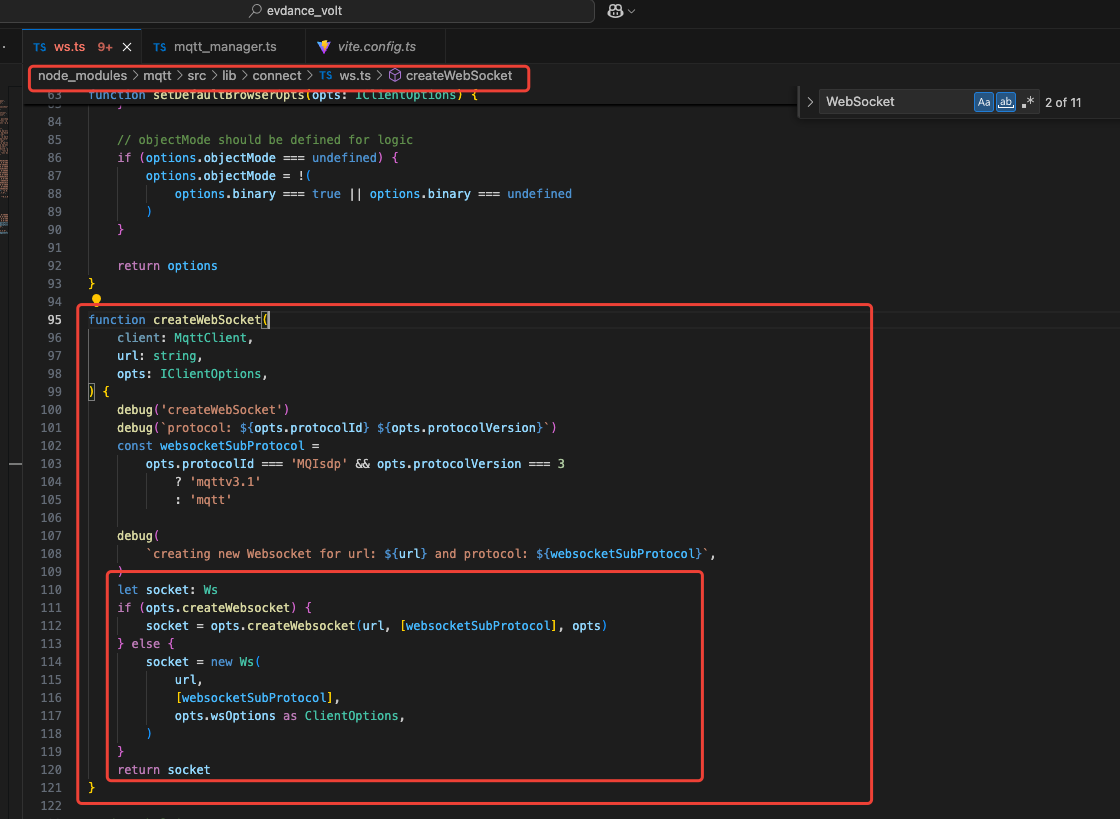
原来创建 mqtt 连接的时候可以传一个createWebsocket属性,源码的逻辑明显是有createWebsocket就用传进来的createWebsocket,否则才会 new 一个新的 websocket,查看ts类型也果然有
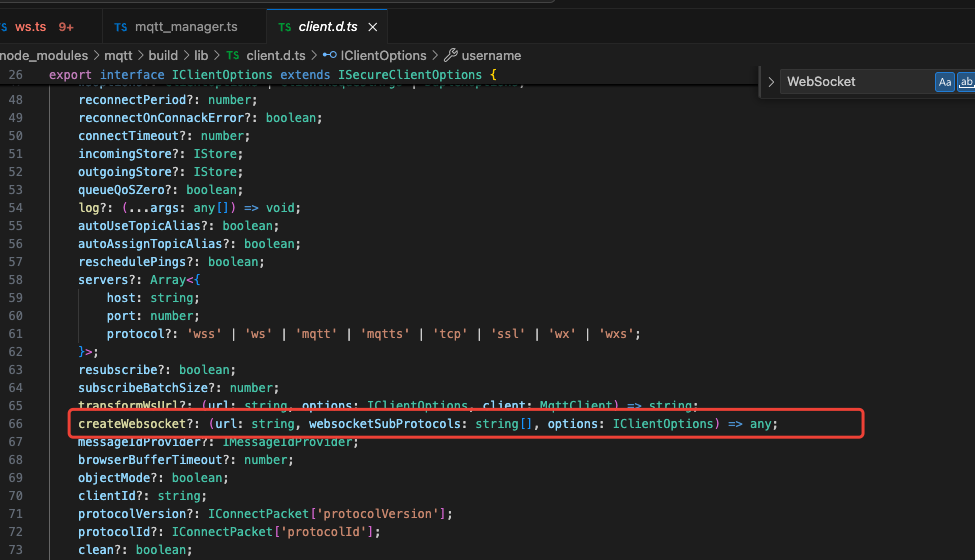
最后使用wx.connectSocke 实现一个 websocket
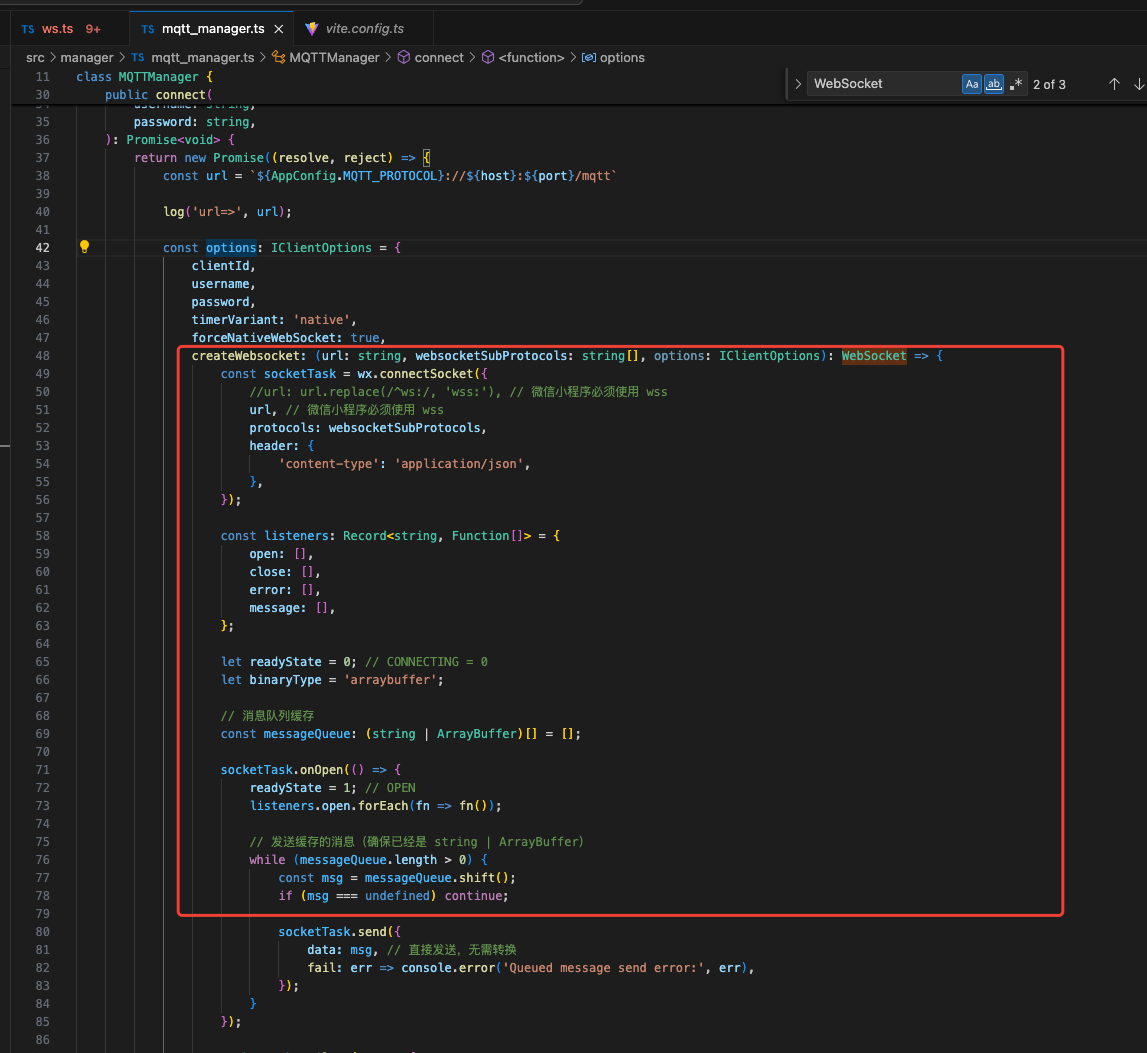
至此方向已经正确,一些wx.connectSocket的代码随便 AI 一下都能出来,最终返回一个 WebSocket 就行了,
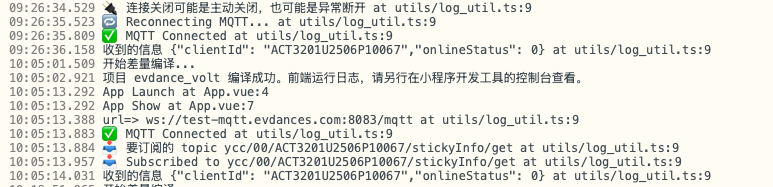
做完这些完美解决mqtt 适配问题,生命周期的回调也没有问题

助力广东及东莞地区开发者,代码托管、在线学习与竞赛、技术交流与分享、资源共享、职业发展,成为松山湖开发者首选的工作与学习平台
更多推荐



 44
44 0
0- 0


 已为社区贡献1条内容

所有评论(0)