vite + vue 快速构建 html 页面 (舒适编写html文件)
·
安装
1、安装 node
2、安装 vite、vue、prettier
npm i -D vite vue prettier
安装打包插件(可下载源码修改)
npm i -D vite-plugin-html-vue-ssr
插件开源地址:https://github.com/Mo-jon/vite-plugin-html-vue-ssr
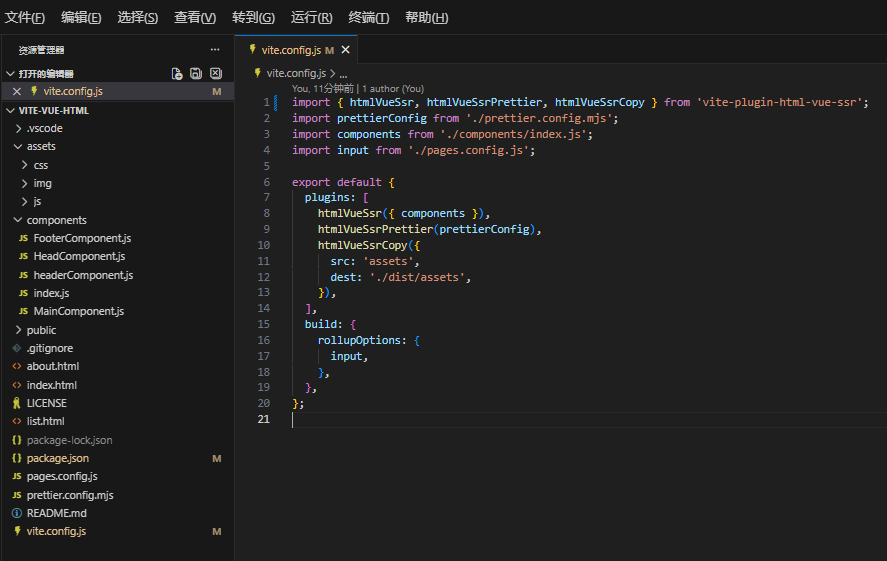
配置 vite.config.js
import { htmlVueSsr } from "vite-plugin-html-vue-ssr";

export default {
  plugins: [
    htmlVueSsr({
      // 可选的 Vue 组件属性
    }),
  ],
};
html文件编写
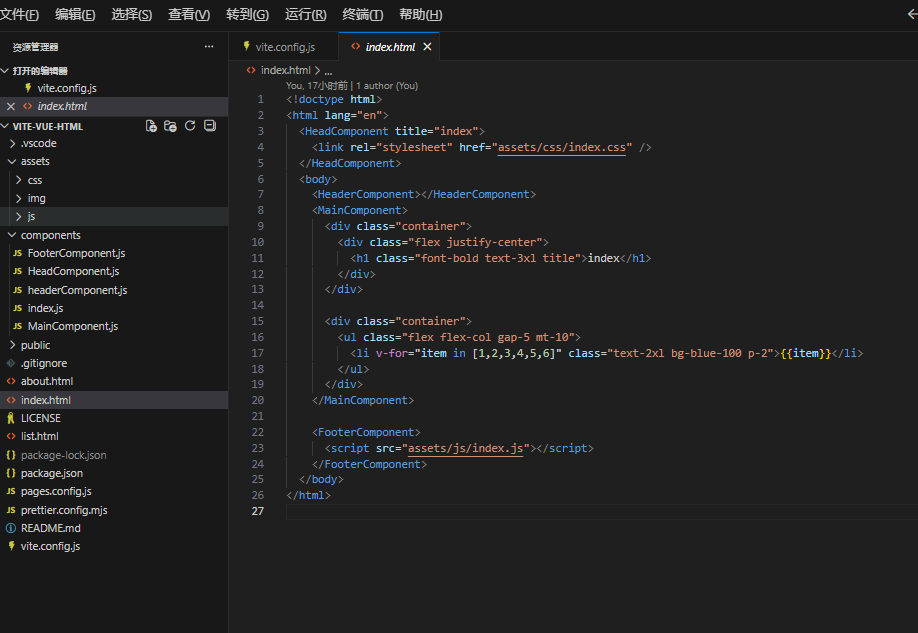
<!doctype html>
<html lang="en">
  <HeadComponent title="index">
    <link rel="stylesheet" href="assets/css/index.css" />
  </HeadComponent>
  <body>
    <HeaderComponent></HeaderComponent>
    <MainComponent>
      <div class="container">
        <div class="flex justify-center">
          <h1 class="font-bold text-3xl title">index</h1>
        </div>
      </div>

      <div class="container">
        <ul class="flex flex-col gap-5 mt-10">
          <li v-for="item in [1,2,3,4,5,6]" class="text-2xl bg-blue-100 p-2">{{item}}</li>
        </ul>
      </div>
    </MainComponent>

    <FooterComponent>
      <script src="assets/js/index.js"></script>
    </FooterComponent>
  </body>
</html>
具体使用可以查看示例项目 https://gitee.com/Mo-jon_admin/vite-vue-html/tree/basic/
不想用vite的可以看另外一篇: webpack5 + vue3快速开发html构建静态页面项目(快速开发html模板)https://blog.csdn.net/Mo_jon/article/details/135419866?spm=1011.2415.3001.5331
提示
组件 components 如果想用 .vue 的方式编写可以自己改造实现(解析vue文件到createSSRApp),这里只是简单的实现html的组装(最终是使用createSSRApp实现解析的)

助力广东及东莞地区开发者,代码托管、在线学习与竞赛、技术交流与分享、资源共享、职业发展,成为松山湖开发者首选的工作与学习平台
更多推荐



 8
8 0
0- 0


 已为社区贡献1条内容

所有评论(0)